The whole mix, always.
All eight instruments stay in view. Integrated meters and white faders make levels easy to read.
 Meet Smixx ↗
THE iPAD PERFORMANCE MIXER
Less navigating. More playing. Bring your AUv3 instruments together in an eight-channel mixer that keeps your sound within reach.
Built for iPad · Played from your MIDI keyboard
 A LITTLE LESS SETUP. A LOT MORE SOUND.
ALL TOGETHER. ALL IN VIEW.
Eight fixed channel strips. Full-height meters. Faders you can find at a glance. Smixx puts the mix at the center, so you can keep your attention on the music.
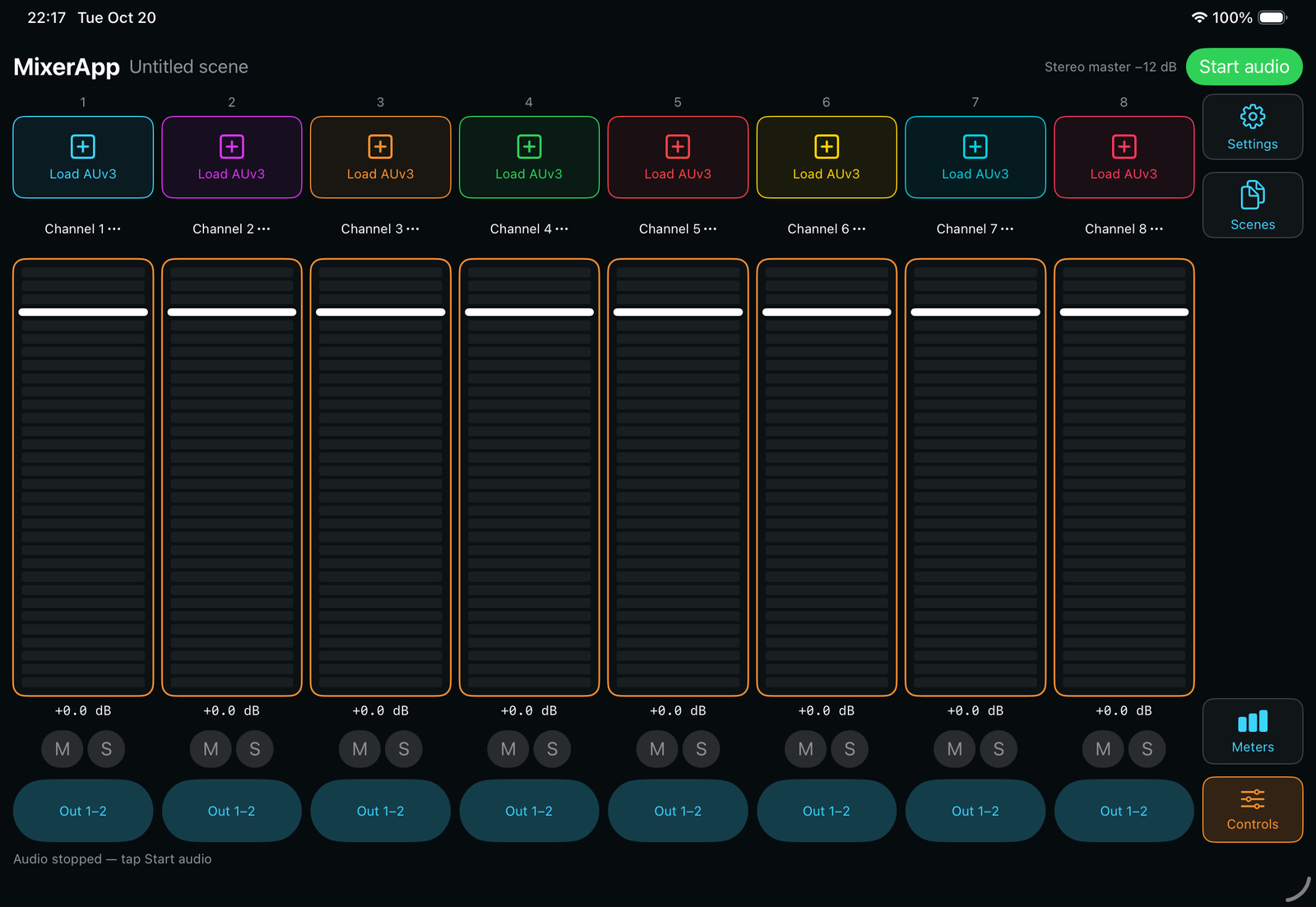
Actual simulator capture. The development build retains the internal name “MixerApp.”
All eight instruments stay in view. Integrated meters and white faders make levels easy to read.
Balance levels, mute a part, or solo several channels. Hide the meters without changing your sound.
Save named scenes with your instruments, supported plugin state, levels, MIDI assignments and fader bindings.
FROM THE FIRST NOTE TO THE LAST CHORD
Pair a piano with a soft pad. Bring an organ forward. Smixx gives practice sessions a simple home for the instruments you already use.
PRACTICE & EXPLORATIONSend one MIDI controller to several instruments, or assign different controllers to different channels. Keep each part under your fingers.
LAYERS & MULTIPLE CONTROLLERSUse MIDI learn to connect hardware faders to the mixer. Shape the balance from your controller while keeping an eye on the full mix.
HANDS-ON PERFORMANCEYOUR RIG. A CLEARER WORKFLOW.
Start with your iPad, a MIDI controller and compatible installed AUv3 instruments. Shape each channel with Apple effects, then save a scene for next time.
Get to know the setup →Choose a MIDI source and channel for each instrument.
Pick an installed AUv3 instrument and open its editor to shape the sound.
Start audio, adjust your levels, add effects and save your scene.
A FEW THINGS TO KNOW
Smixx is a native iPad performance mixer for playing AUv3 instruments from external MIDI controllers. It focuses on eight visible channels, hands-on level control and saved scenes. It is not a recording or sequencing workstation.
The current version hosts compatible AUv3 instrument extensions already installed on your iPad. A standalone music app needs an AUv3 instrument extension to work as a hosted instrument. An internal sound library is not included.
Hardware fader learn maps absolute 7-bit MIDI CC messages to channel faders. Assignments remember the MIDI device, channel and CC number. Relative encoders and NRPN are outside the current scope.
The current version includes Apple effects and routes all eight channels to a stereo master output. Separate hardware output pairs and microphone or line inputs are not part of this version.
Scene recall and plugin changes briefly pause playback, so make those changes between songs. Saved plugin state depends on the instrument’s support. Hardware and plugin compatibility testing is ongoing.
Smixx is in development for landscape use on iPad. Release timing, pricing and an App Store download link have not been announced. Current development targets iPadOS 17 or later; final device requirements will be confirmed for release.
IN DEVELOPMENT FOR iPAD
Eight instruments. Your hands on the mix.
A simpler place to play.